
Customise your Xero Invoices
Better looking Xero invoices, with full control over your Xero invoice branding. Built right in.
Your Xero invoice data populates every invoice in InvoicePolish. Customise fonts, colours, logos and layout—set up once for professional Xero invoices that stay consistent across every client.
Customise fonts, colours, logos and layout
Preview every change as you make it
Hide and group invoice line items
'/%3e%3cpath%20d='M%20230%20184%20C%20505%20173,%20950%20176,%201335%20182%20C%201338%20205,%201080%20213,%20850%20205%20C%20615%20197,%20405%20202,%20230%20193%20C%20224%20190,%20224%20187,%20230%20184%20Z'%20fill='url(%23gGlow)'%20filter='url(%23blurMed)'/%3e%3cpath%20d='M%20230%20183%20C%20500%20173,%20940%20176,%201335%20182%20C%201336%20196,%201115%20203,%20865%20198%20C%20620%20193,%20410%20198,%20230%20190%20C%20226%20188,%20226%20185,%20230%20183%20Z'%20fill='url(%23gCore)'/%3e%3cpath%20d='M%20230%20186%20C%20520%20175,%20970%20177,%201335%20182'%20stroke='%2383C999'%20stroke-opacity='0.96'%20stroke-width='3.2'%20stroke-linecap='round'%20fill='none'/%3e%3c/svg%3e)
Your invoice data remains unchanged in Xero for solid bookkeeping
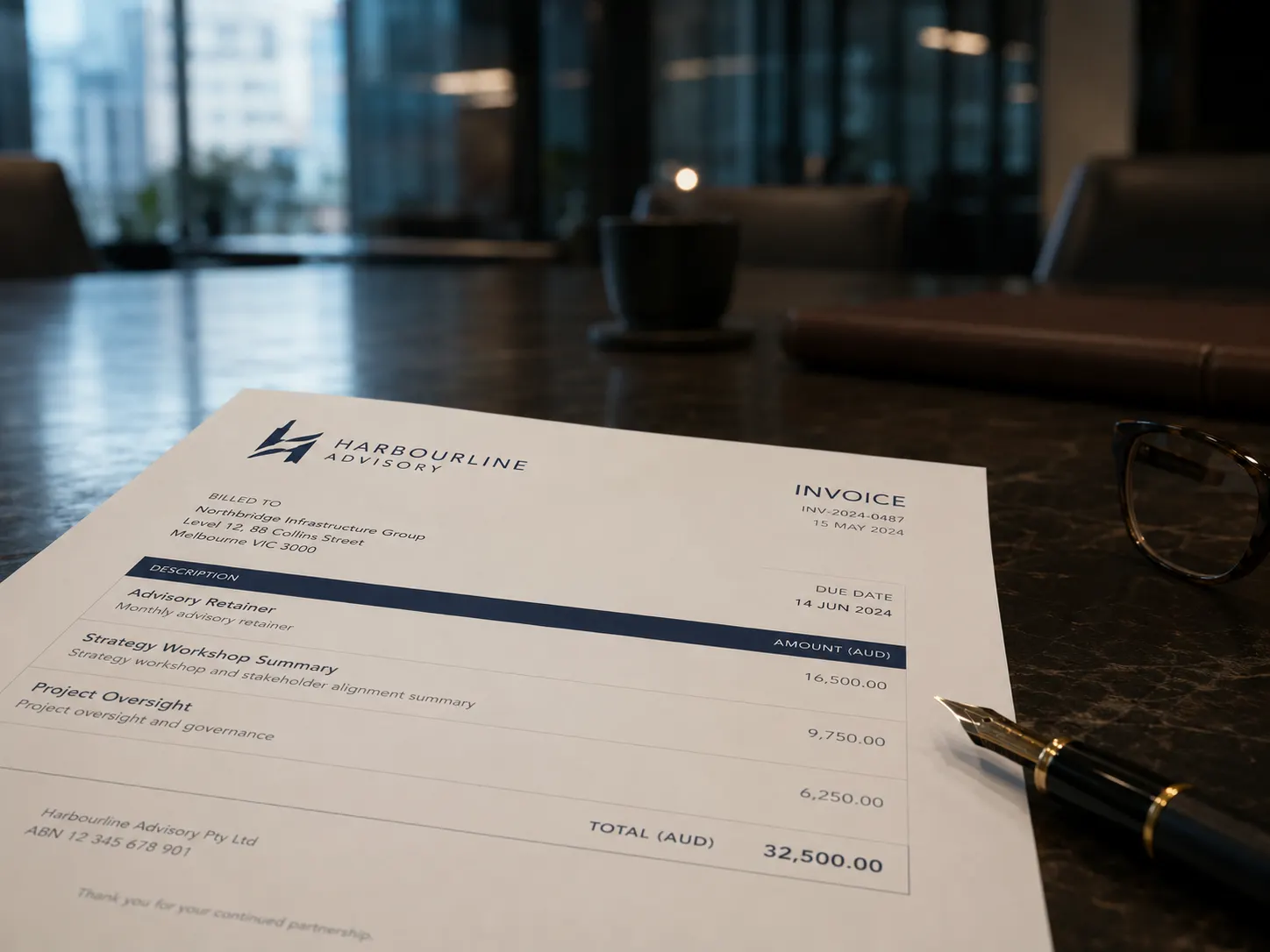
See it in action
Xero gives you only so much control
Every client wants professional, on-brand invoices. Xero's limited formatting means you either settle for generic output, or spend hours reformatting outside the system. There is a better way.
Without InvoicePolish
- ✗Limited to Xero's default formatting options
- ✗Hours reformatting invoices in Word for each client
- ✗Stop exporting Xero invoices to Word just to fix the layout, then re-entering the data
- ✗Inconsistent look every time something changes
With InvoicePolish
- Full font, colour, and logo control — no design software
- Set up once, consistent across every client automatically
- No exports, no workarounds, no re-entry of Xero data
- Every invoice looks exactly right, every time

Customise once. Stay consistent everywhere.
No exports, no workarounds. Build your brand into the template once and InvoicePolish applies it to every invoice automatically.
Connect your Xero account
Securely connect one or more Xero organisations with a single click. Your invoice data syncs automatically — nothing to configure manually.
Set your brand
Start from Xero Classic — already a match to Xero's own default invoice — then upload your logo, choose your brand colours and pick fonts to make it unmistakably yours. See a live preview as you go.
Per-client customisation
Create a distinct template for each Xero organisation. Bookkeepers and accountants can keep each client's invoicing fully separate and on-brand.
Apply globally
Set one template as your default and apply it consistently across every invoice you send — without thinking about it again.
Export to Xero
Download the polished invoice PDF and/or one click attach it directly back to your Xero invoice for safe keeping.
Connect your Xero account
Securely connect one or more Xero organisations. Your invoice data syncs automatically.
Set your brand
Start from Xero Classic — already a match to Xero's own default invoice — then upload your logo, choose your brand colours and pick fonts to make it unmistakably yours. See a live preview as you go.
Per-client customisation
Create a distinct template for each Xero organisation. Bookkeepers and accountants can keep each client's invoicing fully separate and on-brand.
Apply globally
Set one template as your default and apply it consistently across every invoice you send — without thinking about it again.
Export to Xero
Download the polished PDF or attach it back to your Xero invoice with one click.
Everything you need, nothing you don't
The design control Xero doesn't give you — plugged directly into the Xero workflow you already use.
Fonts, colours & logo
Set your own typeface, brand colours, and logo placement — the customisation Xero's invoice editor simply doesn't offer.
Per-client templates
Running multiple Xero organisations? Set a distinct branded template for each. Every client keeps its own look, fully independent.
No design skills needed
Built for business owners, not designers. Upload, pick, preview — there's nothing technical about it.
Live preview as you go
See exactly how your invoice will look as you customise it. No surprises when the PDF lands in your client's inbox.
Your Xero data stays safe
Customising your template never touches Xero. Every line item, account code, and tax setting stays exactly as entered.
PDF download & attach to Xero
Generate your polished PDF and attach it directly back to the Xero invoice — everything filed and in sync.
Works with Xero
Built for Xero. Works where you already work.
InvoicePolish integrates with Xero, so there is nothing new to learn and no second system to manage. Connect once, and your branded invoices are ready the next time you hit send.
Connects directly with your Xero account.
Try free for 7 days, upgrade when you're ready
No credit card required. Full access during your trial — upgrade anytime to keep going.
7-Day Free Trial
Try everything before you commit
- 1 Xero organisation
- 15 invoices during trial
- All included invoice templates
- PDF download & attach to Xero
Basic
For small business
- 1 organisation included
- 40 invoices per month
- PDF download & attach to Xero
- Background images
- Webhook auto-generation
- +$6/mo per extra organisation
Professional
For growing firms
- 3 organisations included
- 200 invoices per month
- PDF download & attach to Xero
- Webhook auto-generation
- Background images
- +$5/mo per extra organisation
Frequently asked questions
Last updated: June 2026
Every template starts as Xero Classic — a match to Xero's own default invoice layout — so you're never starting from scratch or risking a broken layout. From there, InvoicePolish lets you set your own fonts, brand colours, logo placement, and overall layout — things Xero's built-in invoice editor does not allow. Build a template that looks unmistakably like your business, or keep the familiar Xero look and adjust only what you need.
Yes. If you manage multiple Xero organisations — such as a bookkeeper or accountant with several clients — you can set up a distinct branded template for each. Every organisation keeps its own template, colours, and layout settings independently.
No. InvoicePolish is built for business users, not designers. The customisation panel is straightforward — you upload your logo, pick your colours, choose a font, and see a live preview. No Photoshop, no Word exports, no outside tools.
No. Template customisation in InvoicePolish only affects how the PDF looks to your client. Your underlying Xero data — line items, account codes, tax settings — is never modified.
Yes. InvoicePolish handles both presentation and content. You can customise the look of your invoices and also control which line items clients see — grouping related lines or hiding internal detail entirely. Both features work together in a single template.
No. Your monthly limit only counts invoices you choose to polish by generating a client-facing PDF through InvoicePolish. You can sync your Xero invoices, open them, group line items, change templates, and play with how they look without using your download quota. The quota is used when you generate, download, or attach a polished PDF. So if you issue 100 invoices in Xero but only polish 25 of them, that counts as 25.
Yes. You get a free 7-day trial with up to 15 invoices and 1 Xero organisation — no credit card required. Demo mode is also available so you can explore the template editor before connecting Xero.
Give every client the invoice their brand deserves.
Set up once. Stay consistent. No disruption to your Xero account.
No disruption to your Xero account. Cancel anytime.